Track new companies by city and segment
Do you serve a niche (veterinary clinics, gyms, accounting firms) and want to know when a new company of that segment opens in your city? With CNPJAPI you build the segment once, mark it to monitor and get a monthly alert with how many new companies entered it, from Receita Federal's official data. It is a self-service feature of the portal, not an API endpoint.
Feature overview: Segmented company lists.
Step by step
- Go to https://app.cnpjapi.com.br and open Segmentação (
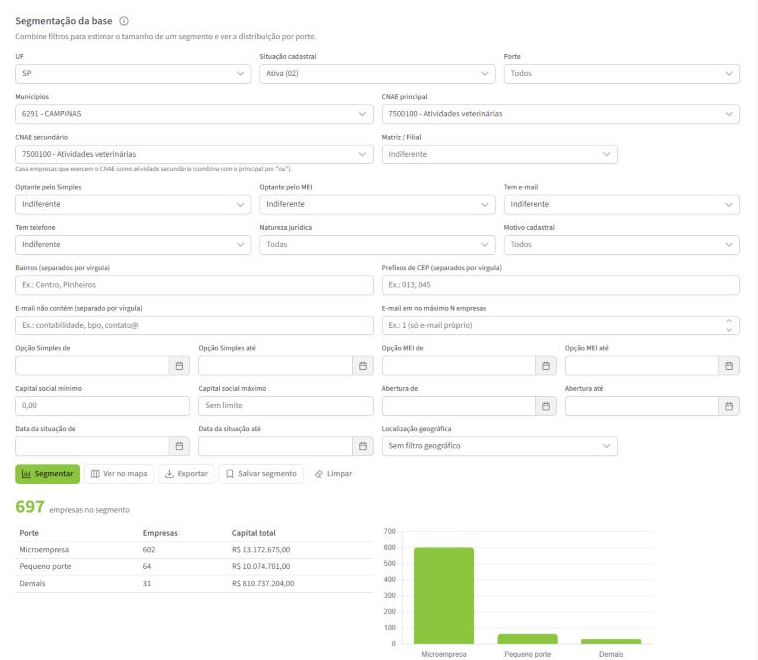
/busca/segmentacao). Available on the Avançado and Business plans. - Build the segment:
- CNAE principal and, if it makes sense, CNAE secundário: your audience's activity. Example:
7500-1/00(veterinary activities). To match companies that have the activity as main or secondary, put the same code in both fields. - UF and Municípios: your service area. You can pick several cities.
- Situação cadastral (for example, active only), porte, natureza jurídica and Simples/MEI, to refine.
- CNAE principal and, if it makes sense, CNAE secundário: your audience's activity. Example:
- Click Segmentar to see how many companies match the filter today.
- Click Salvar segmento and name it (for example, "Veterinárias em Campinas").
- Under Meus segmentos, click the segment's bell to turn monitoring on.

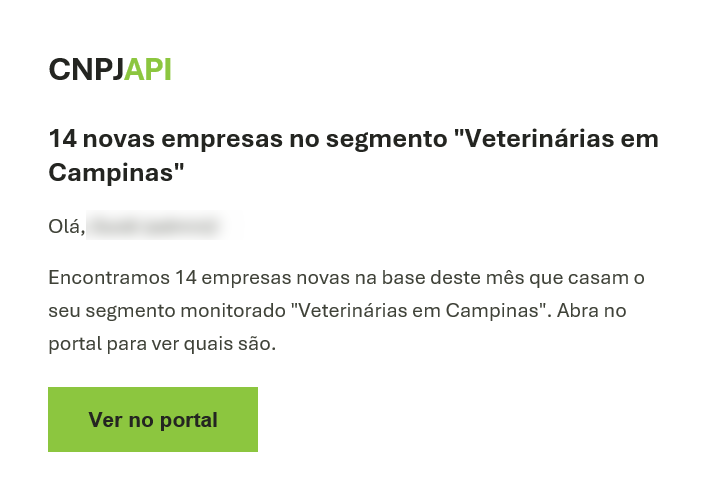
Done. With each new monthly batch from Receita, the portal compares this month's base with the previous month's and, when there are new companies in the segment, notifies you in the bell and by email (the portal is in Portuguese): N novas empresas no segmento "Veterinárias em Campinas".
See who the new companies are
The alert carries only the number, with no CNPJ list in the email. To see who they are:
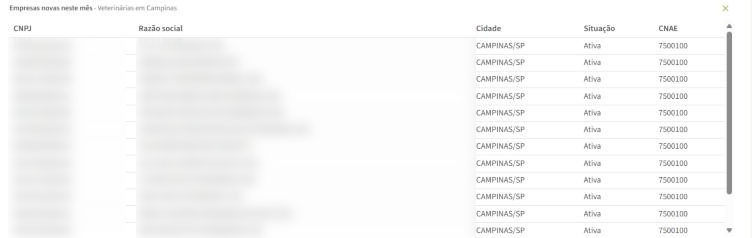
- Click the alert link, or the segment's Ver empresas novas deste mês icon under Meus segmentos.
- The portal shows the companies that entered the segment in this batch (the first 50), with city, status and CNAE. If there are many, narrow the segment. Click the CNPJ to open the company's full lookup.
Which filters the alert accepts
The alert works with UF, city, registration status, CNAE (main or secondary), legal nature, company size, Simples/MEI and opening date. If the segment uses another filter (for example, neighborhood, ZIP code prefix, radius or map area, headquarters/branch, share capital, partner or contact filters), the portal tells you which filters block monitoring. In that case, save a version of the segment with only the accepted filters to monitor it, and use the full version to build the list.
You don't need an opening date in the monitored segment: the alert already counts only what is new from one month to the next.
How the alert counts a "new company"
- A new company is a CNPJ (by its root, the first 8 digits) that is in this month's base and was not in the previous month's. It also counts a company opened earlier but only published by Receita now.
- The city is the one of the main establishment (the headquarters, when there is one). A new branch of an existing company does not count as a new company.
- The pace is monthly, following Receita's base update.
Use cases
- Service for a local niche: veterinary clinics, gyms or restaurants that opened in your city.
- Accounting: new companies in the region, which may be choosing a firm.
- B2B supplier: new potential customers of an industry in the cities you serve.
- Expansion: follow the pace of openings of a segment in a region before investing.
Responsible use
The company registry is public, but how you use the list is your responsibility: when using contacts, comply with LGPD and communication rules. See the note in Segmented company lists.